About this tool
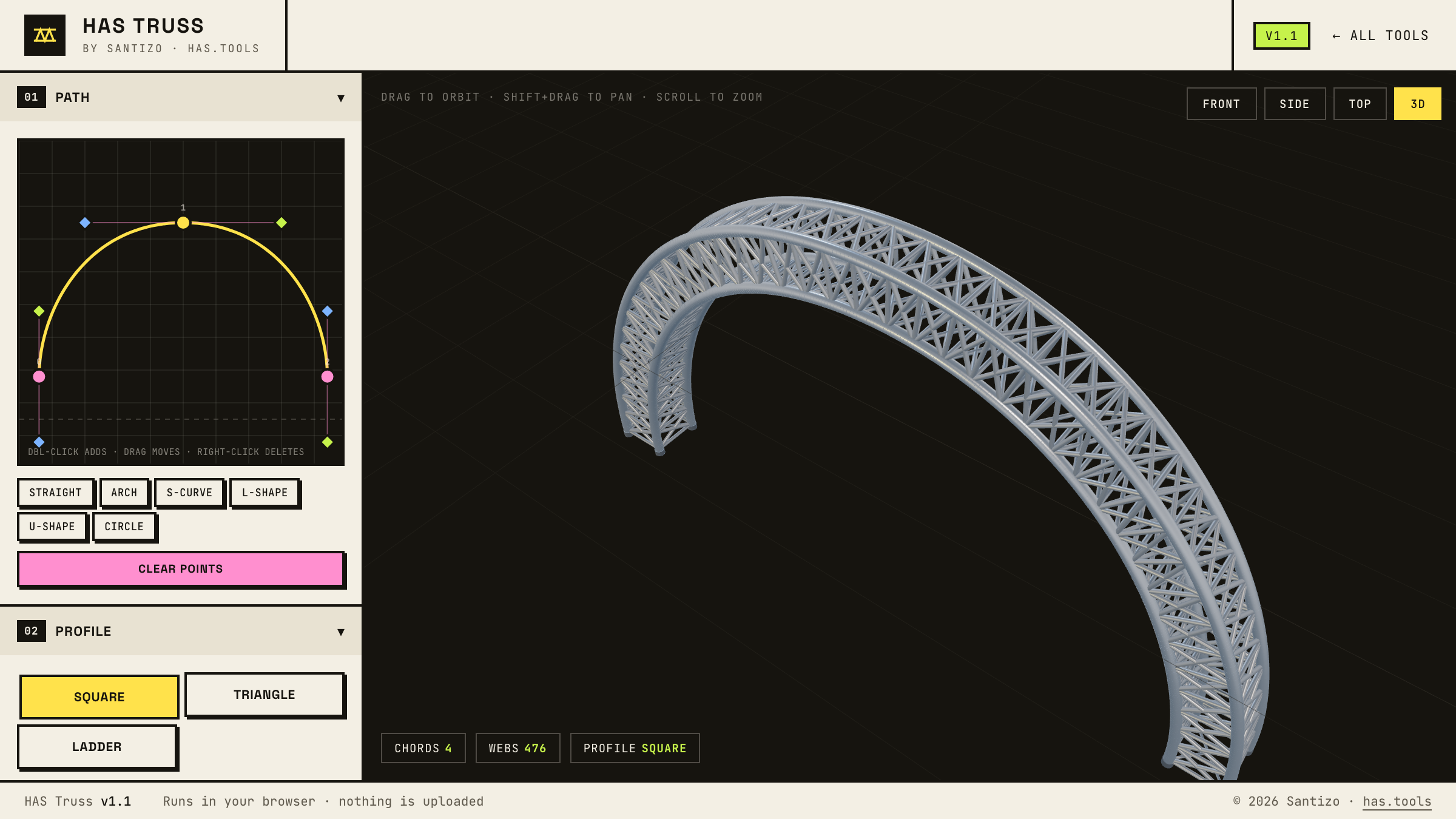
Truss shows up in every stage, concert, trade-show, and exhibition render, and it is tedious to model by hand: dozens of tubes, repeated bays, diagonals that have to land on the chords. Along a curve it gets worse. HAS Truss turns the job into one gesture. Draw the centerline as a bezier path, choose a square, triangle, or ladder profile, and the chords, web diagonals, cross braces, and end caps are generated bay by bay, following the curve.
Width, height, bay density, curve resolution, and tube diameters are live sliders in metres. Six finishes (aluminum, raw steel, galvanized, matte black, Corten, white) preview the look in a lit viewport, and the export carries the geometry at real scale as GLB, glTF, or OBJ for Cinema 4D, Blender, Unreal, or Unity. Everything runs client-side; your designs never leave your machine.
How to use it
- Start from a path preset (Straight, Arch, S-Curve, L-Shape, U-Shape, Circle) or draw your own.
- Double-click the path editor to add a point. Drag points and their handles to shape the curve. Right-click a point to delete it.
- Pick a profile: Square, Triangle, or Ladder. Then set width, height, bay density, and curve resolution.
- Set the chord and web tube diameters, toggle end caps and the floor grid, and choose a finish.
- Drag to orbit, Shift+drag to pan, scroll to zoom. Front, Side, Top, and 3D snap to fixed views; Reset view brings the camera home.
- Hit Export for GLB, glTF, or OBJ. Filenames carry a date and time stamp so re-exports never overwrite each other.
- Share copies a link that opens your exact truss on any device. The design lives in the link itself; nothing is uploaded.