v0.1 · prototype
Runs entirely in your browser · models never leave your machine
What you export is yours · commercial use included
About this tool
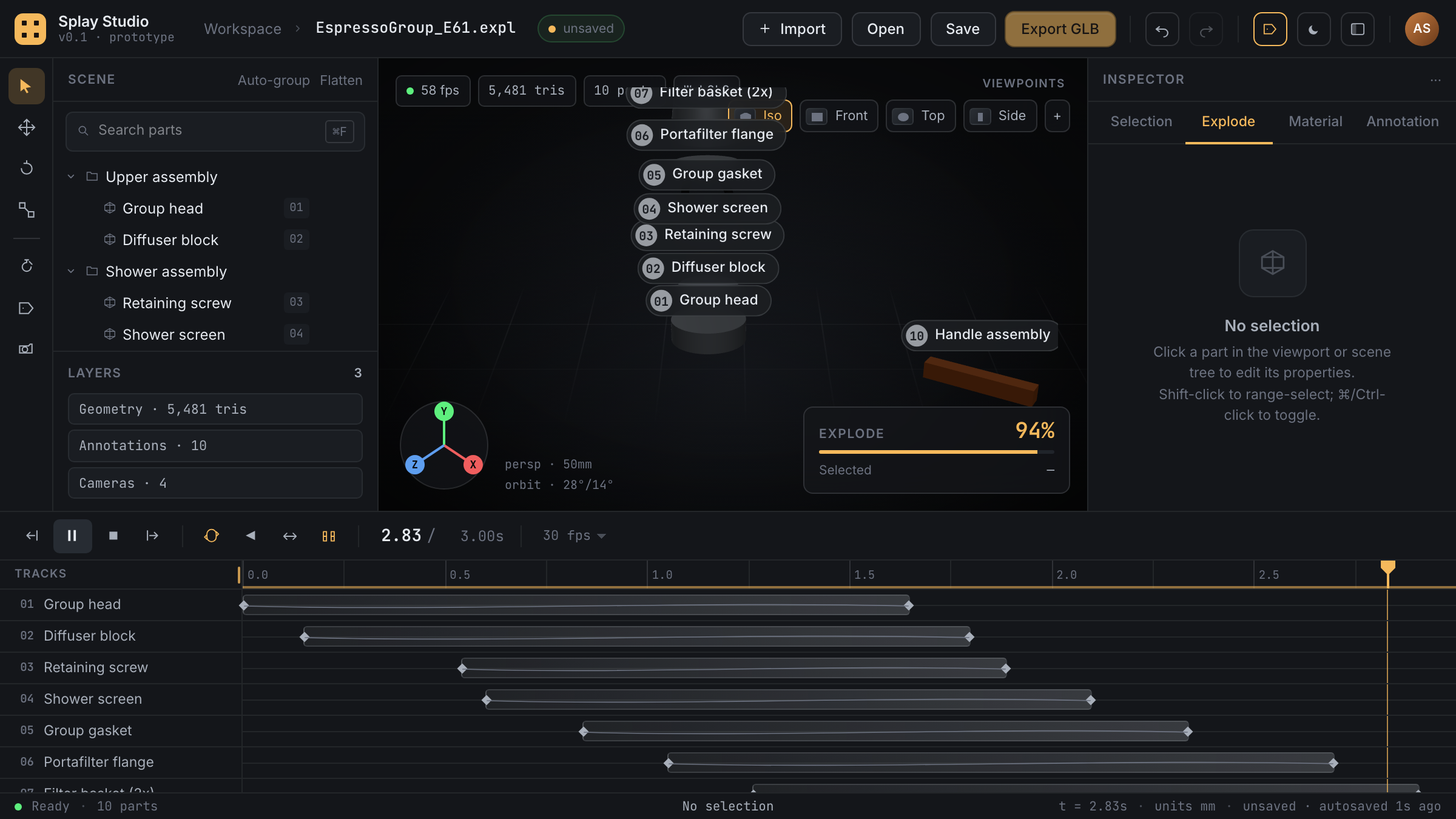
Exploded views are how you explain a product, but making one usually means hand-rigging offsets in Cinema 4D or After Effects, and redoing them every time the model changes. Splay makes the explosion itself the document: every part gets a direction and distance, the timeline choreographs the sequence, and the result exports as an animated GLB you can drop into any 3D pipeline or web viewer.
It reads real CAD data (STEP) as well as GLB and OBJ, auto-groups parts, and keeps everything editable: annotations, camera bookmarks, easing per part.
How to use it
- Import a model (⌘O) in STEP, GLB, or OBJ, or hit Try demo to load the sample camera drone.
- Click Auto-explode to give every part a starting direction, then refine any part's vector and distance in the inspector.
- Stagger the parts on the timeline; add keyframes with easing where you want finer control.
- Label parts and bookmark camera angles for the money shot.
- Scrub with the playhead, then Export GLB to take the animation anywhere.
- Projects save as .expl files (⌘S); autosave has your back between sessions.