v2.0
Runs entirely in your browser · nothing is uploaded
What you export is yours · commercial use included
About this tool
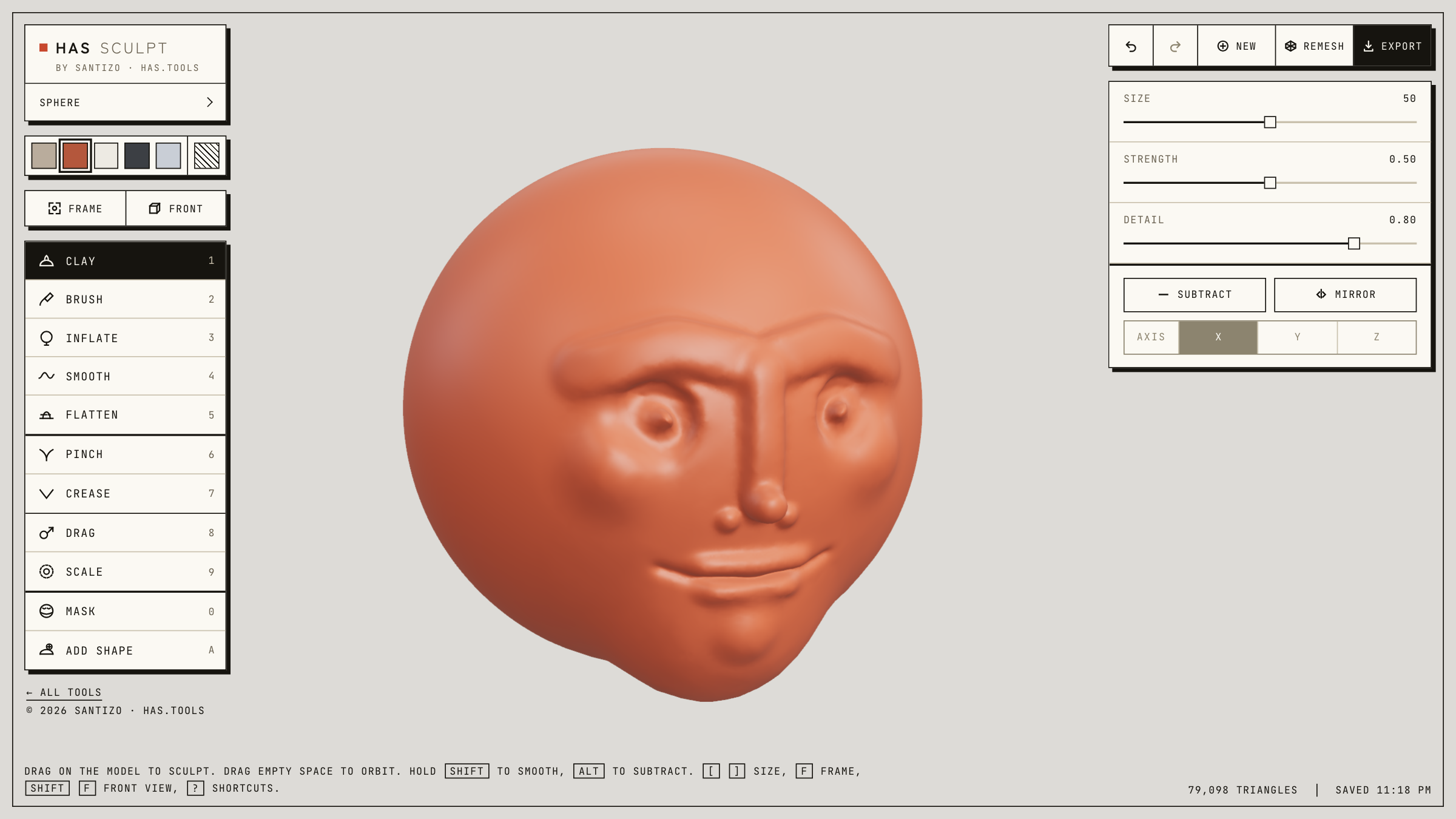
Blocking out a head, a creature, or a rock in a full sculpting app means installing it, learning it, and waiting for it to start. HAS Sculpt opens in a tab: a clay sphere and nine brushes, mirror symmetry on by default, and dynamic detail that adds triangles only where you work. Mask an area to protect it, place spheres, boxes, or tori and weld them into the model, remesh when the surface gets stretched, or copy one half onto the other.
Your work autosaves in this browser, with earlier versions you can recover, and every step can be undone. Save a project file to carry a sculpture between machines, or export a GLB. Everything runs client-side; your sculptures never leave your machine.
How to use it
- Drag on the model to sculpt and drag empty space to orbit. Pick a brush from the rail or press 1 to 9.
- Hold Shift to smooth and Alt to subtract; [ and ] change the brush size.
- Paint a mask (M) to protect an area, then invert it to sculpt only what you painted.
- Add shape (A): click to place a sphere, box, cylinder, capsule, or torus, drag to size it, and press Enter to weld it in.
- Remesh to even out stretched triangles, then hit Export for a GLB. Press ? in the app for every shortcut.