About this tool
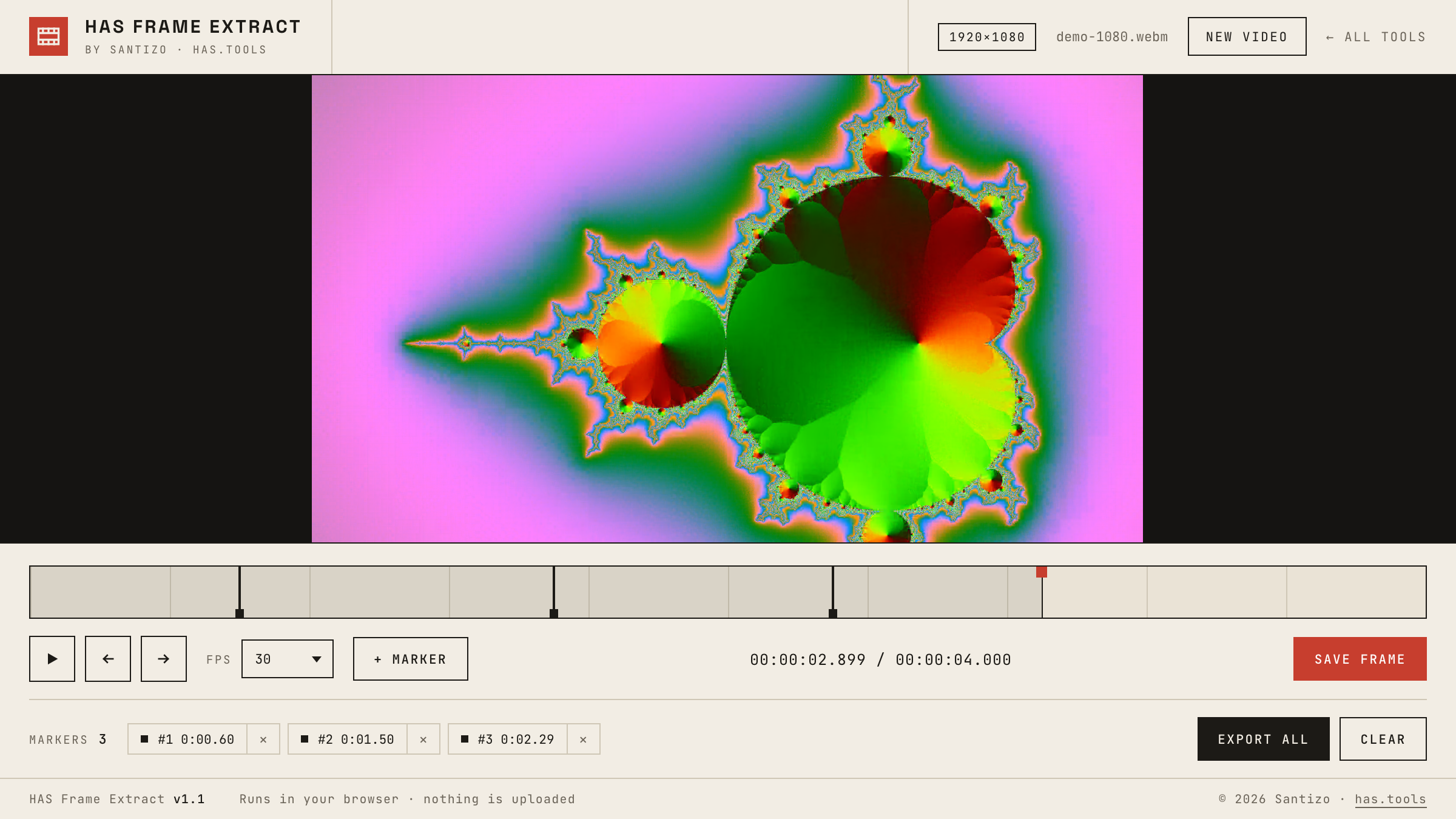
Reference frames, thumbnails, storyboard stills, a texture pulled from your own footage: getting a single frame out of a video is a two-minute job that usually means opening a full editor, finding the frame, setting up an export, and waiting. HAS Frame Extract keeps the whole job in one browser tab. Scrub the timeline or step with the arrow keys at the clip's real frame rate, drop a marker on every frame you want, and export them together as a ZIP, each file named with its timecode.
Frames are captured at the video's native resolution, so a 4K clip gives you 4K stills. The layout keeps the timeline and buttons on screen no matter how large or how tall the video is, and dragging the playhead never selects text by accident. The file never leaves your machine; everything runs client-side.
How to use it
- Drop a video on the stage or click to browse. MP4, MOV, and WebM all work.
- Scrub the timeline, or step frame by frame with ← and →. Home and End jump to the start and the end.
- Set the clip's frame rate (24, 25, 30, 60, and the fractional variants) so stepping lands on real frames.
- Press M to mark a frame. Click a chip to jump back to it, or its × to remove it.
- S saves the current frame as a PNG. E exports every marked frame as a ZIP, named by timecode.