About this tool
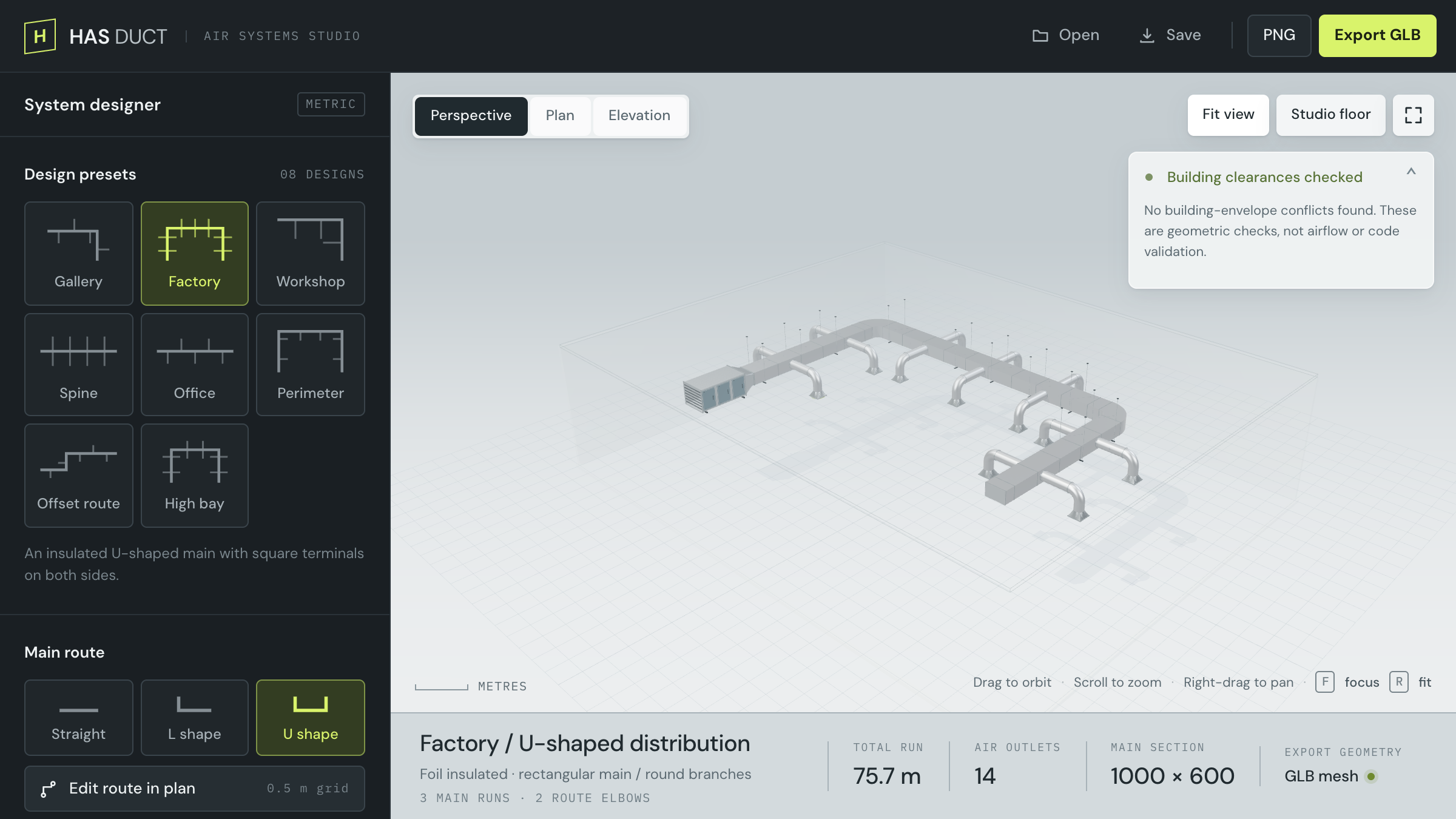
Exposed ductwork shows up in almost every industrial interior, gallery, and loft render, and it is slow to model by hand: a main run, branch takeoffs, elbows that have to line up, hangers along every run, diffusers at the ends. HAS Duct builds the whole system from a few choices. Start from one of eight presets, set the route as a straight run, an L, or a U, or draw your own in plan, and the branches, elbows, transitions, and hangers follow.
Sizes are real, in millimetres: a rectangular main from 400 to 1200 mm wide with round branches, or round spiral duct throughout. Three finishes (galvanized steel, brushed stainless, graphite powder coat), three air terminals (round, square ceiling, linear slot), optional 25 mm foil insulation, and an air handling unit, inline fan, or filter housing at the inlet. Turn on the building to set the room, columns, and beams, and HAS Duct checks the system against the walls and ceiling. Those are geometric checks, not airflow or code validation. Everything runs client-side; your designs never leave your machine.
How to use it
- Pick a preset: Gallery, Factory, Workshop, Spine, Office, Perimeter, Offset route, or High bay.
- Choose a main route (Straight, L shape, U shape), or open Edit route in plan to move corners and add new ones. Every move snaps to a 0.5 m grid.
- Set the branch layout (alternating sides, both sides, or one side), the main span, the number of branch stations, their reach, and the installation height. Shuffle branch lengths for a less regular run.
- Click a main run in the 3D view to add a branch or raise the run over an obstruction. Click a branch to change its reach or remove it.
- Pick the duct type, sizes, finish, air terminal, insulation, spiral seams, hangers, and the equipment at the inlet.
- Turn on Building context for the room, columns, and beams, and to check clearances. Fit entire room frames it all.
- Drag to orbit, right-drag to pan, scroll to zoom. Perspective, Plan, and Elevation switch views; R fits the system, F is focus mode.
- Save writes the project as a JSON file and Open brings it back. PNG saves the current view. Export GLB writes the system in metres with its materials, and the room too if you include it.